
From Image Edit to Finished Film: The Making of Montevelle Aerelle
A campaign making-of shows how the Image Editor, recorded provenance, and an agent working through MCP connect creative decisions to a finished Premiere timeline.
2026-10-21
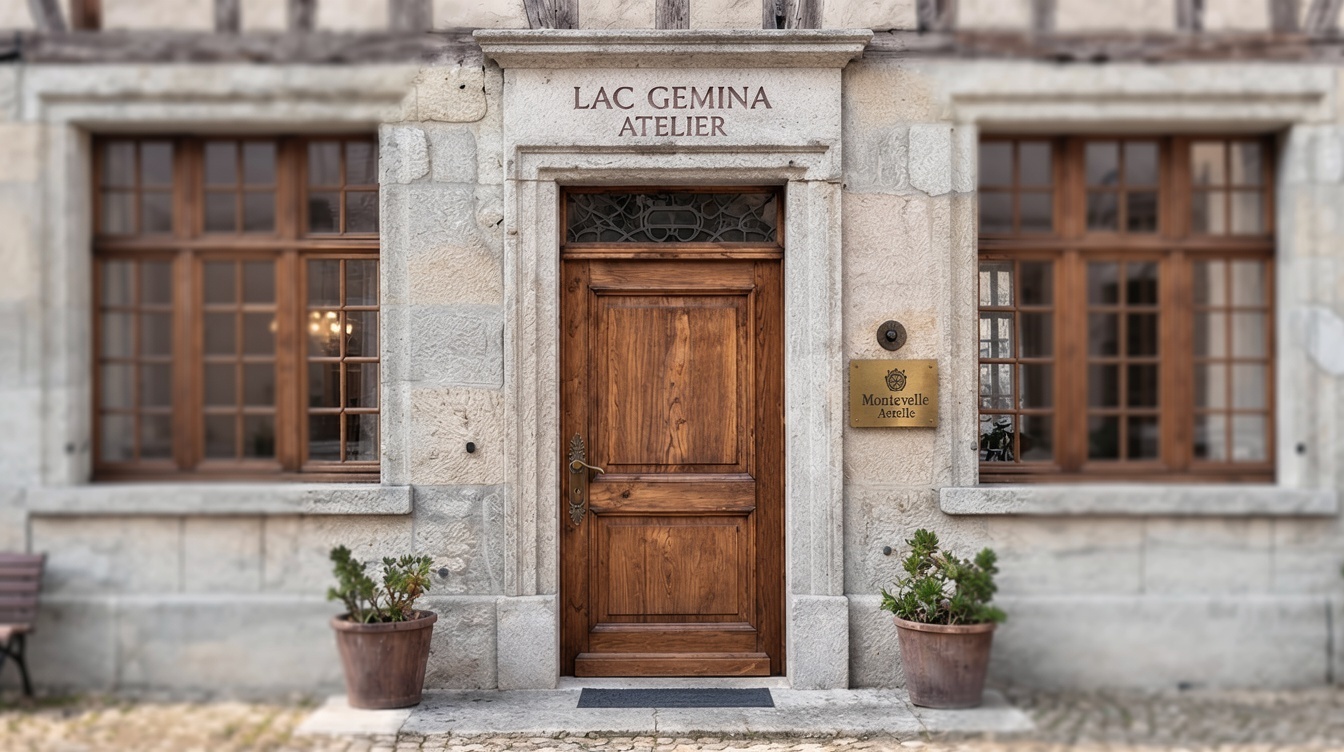
An atelier door looks like a small detail in a watch campaign. Until the handle is wrong, the sign needs to change, or the camera needs to move closer without losing the place we have already established.
These are the decisions that turn an attractive generated image into a usable film asset. They also reveal where creative control actually lives: in the ability to keep working on an image, carry its history forward, and place the chosen result in a deliberate edit.
For the fictional Montevelle Aerelle Campaign 2026, we built a luxury-watch film and then a making-of about its production. Saganode held the narrative and asset context. The Image Editor shaped the images. A Provenance Graph exposed their recorded ancestry. An agent coordinated retrieval and editing through Saganode MCP and Premiere MCP, while narration and music completed the sound.
The useful lesson is in the connections between those steps.
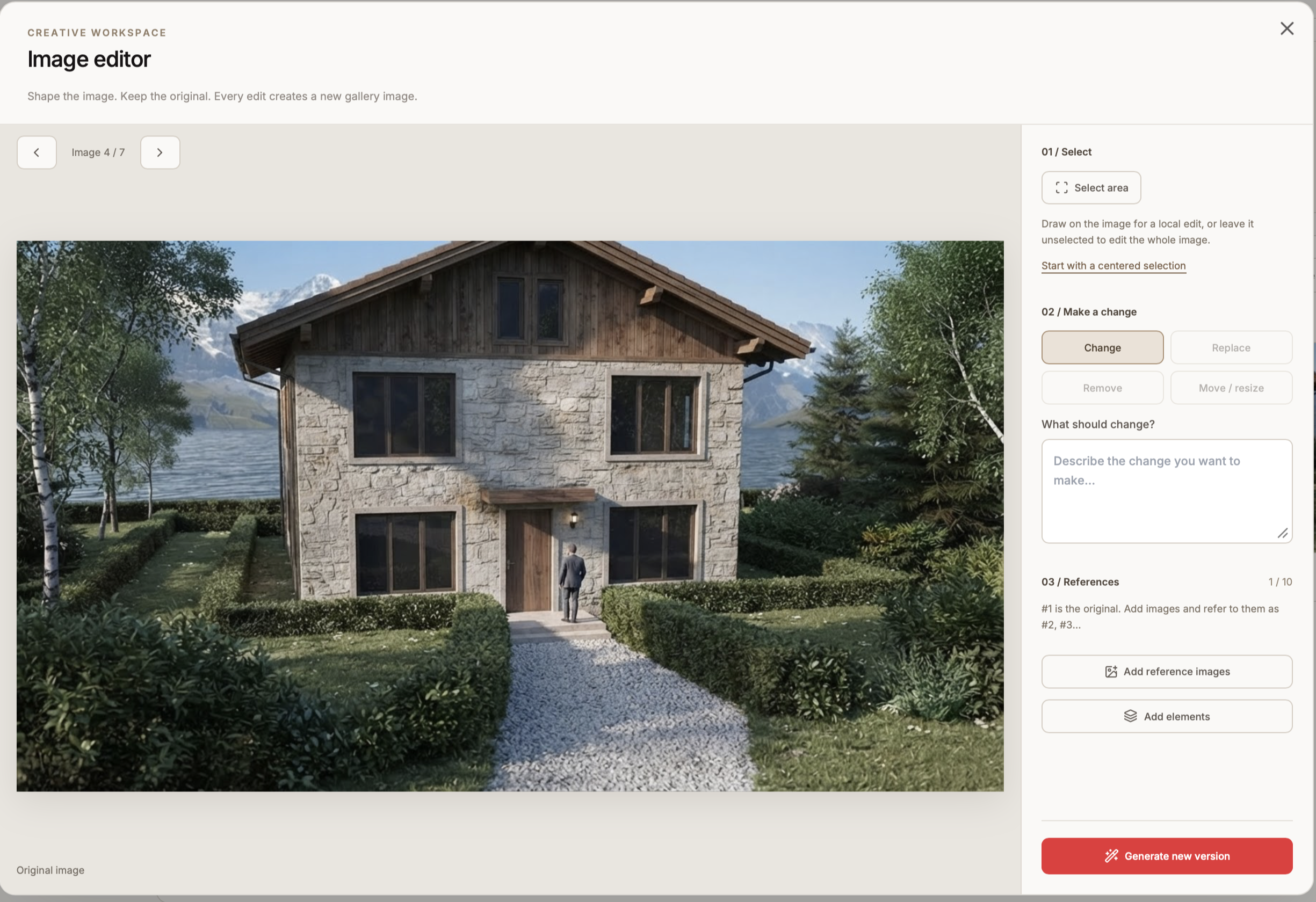
The Image Editor is where direction becomes concrete
The campaign needed a recognizable atelier, a client, a timepiece, and a restrained visual atmosphere. Those choices gave the work a shared context. Producing a convincing entrance still required specific visual decisions.
The Image Editor made those decisions actionable: select an area, describe a change, introduce a reference, and generate a new version while preserving the original.
In the recorded atelier lineage, people were removed, windows were added, and the view moved closer to the door. Later edits refined the hardware, applied a reference to the sign, and changed selected areas of the doorway. A hand at the entrance became the subject of further framing and refinement.
This is why the Image Editor is the central creative tool in this making-of. It lets the creator express a bounded intention: this part of the image needs attention; this reference should guide it; this version is worth carrying forward.
That control still requires inspection. A request to preserve the surrounding image describes the intended constraint; the generated result must be checked against it. Keeping the earlier version makes comparison and recovery possible.
Provenance gives the image a production history
A final frame hides most of the work that produced it. A gallery shows alternatives, but the relationships between them explain how an image developed.
For the making-of, we followed a selected path through the recorded Provenance Graph. The animated passage moves from the initial atelier image through successive edits, toward a close-up and a connected moving-image result. Each stage gives the viewer a concrete change to follow.
The graph makes recorded derivation visible. It does not, by itself, explain every creative motive or establish that a version is better. Those judgments still belong to the creator. But it provides a basis for answering practical questions: Which image supplied this reference? Which version came before this detail? Where did the frame used for motion originate?
That history becomes useful production material in its own right. In this film, the ancestry of an asset became a sequence about how the asset was made.
MCP connects project context to the editing tools
Once the images and videos existed, the next challenge was selection and placement.
The campaign already had Sequence Plans describing scenes and shots. Through Saganode MCP, the agent could retrieve that production context and the associated assets. When a shot had a preferred video, the selection could follow it; when only one video was available, that choice was straightforward.
Premiere MCP supplied the editing connection. The agent could import media, place clips, adjust timing, position overlays, and save the project. Saganode supplied the narrative and asset relationships; Premiere supplied the timeline in which those materials became a film.
The distinction matters in practice. The tools have separate responsibilities, and the agent coordinates work across them. A usable workflow depends on checking what was retrieved, what was placed, and what the edit actually contains.
Conversation becomes a series of inspectable edits
The making-of itself evolved through short instructions:
- Turn a standalone title into an overlay over the relevant images.
- Keep the typography readable over screenshots and video.
- Shorten the campaign video clips by half while preserving the recorded-provenance passage.
- Make the Saganode logo smaller, move it farther into the upper-right corner, and reduce its opacity to 50 percent.
Each instruction changed a concrete part of the timeline. The result could be inspected and refined again.
That loop is the practical value of conversational editing. The creator can stay focused on emphasis, pace, and clarity while the agent translates direction into tool operations. Verification remains essential: an accepted command is only useful when the intended change is visible or audible in the result.
Voice and music need room in the cut
The narration used Jane – Neutral, in British English, through the Saganode Voice Service. Nine passages addressed the opening, world context, Image Editor, provenance, transition to film, tool coordination, sound, refinement, and closing.
Suno music entered the workflow as a supplied audio file. The agent prepared and placed it in the edit. This production did not rely on a direct Suno generation connection through MCP.
The generated speech also exposed a timing issue. Two passages needed more room than their existing chapters allowed. The Image Editor and agent sections each gained two seconds of still-image time, leaving the shortened video shots and the provenance passage intact. Short lead-ins helped the voice enter cleanly, and the music was lowered during narration.
The resulting narrated cut runs 1 minute and 44.75 seconds. Its duration reflects the material and its delivery, including the space needed for viewers to read, listen, and follow the image changes.
A connected workflow keeps decisions available
The Montevelle Aerelle making-of shows what happens when visual direction, recorded ancestry, asset selection, and post-production stay connected.
The Image Editor gives the creator a place to shape the frame. The Provenance Graph preserves recorded relationships between versions and inputs. Saganode MCP makes project context available to the agent. Premiere MCP makes that context actionable in an edit. Voice and music add their own timing requirements.
Together, these connections make a revision easier to understand and continue. A creator can return to an image, follow its development, choose a take, and ask for a specific change in the film without reconstructing the entire production from scattered files.
Every image has a story. A connected production makes that story available to the next creative decision.