
Using Lore
Lore is the central map of your Saganode universe. It organizes meaningful elements and their relationships before they become stories, stages, characters, or production-ready assets.
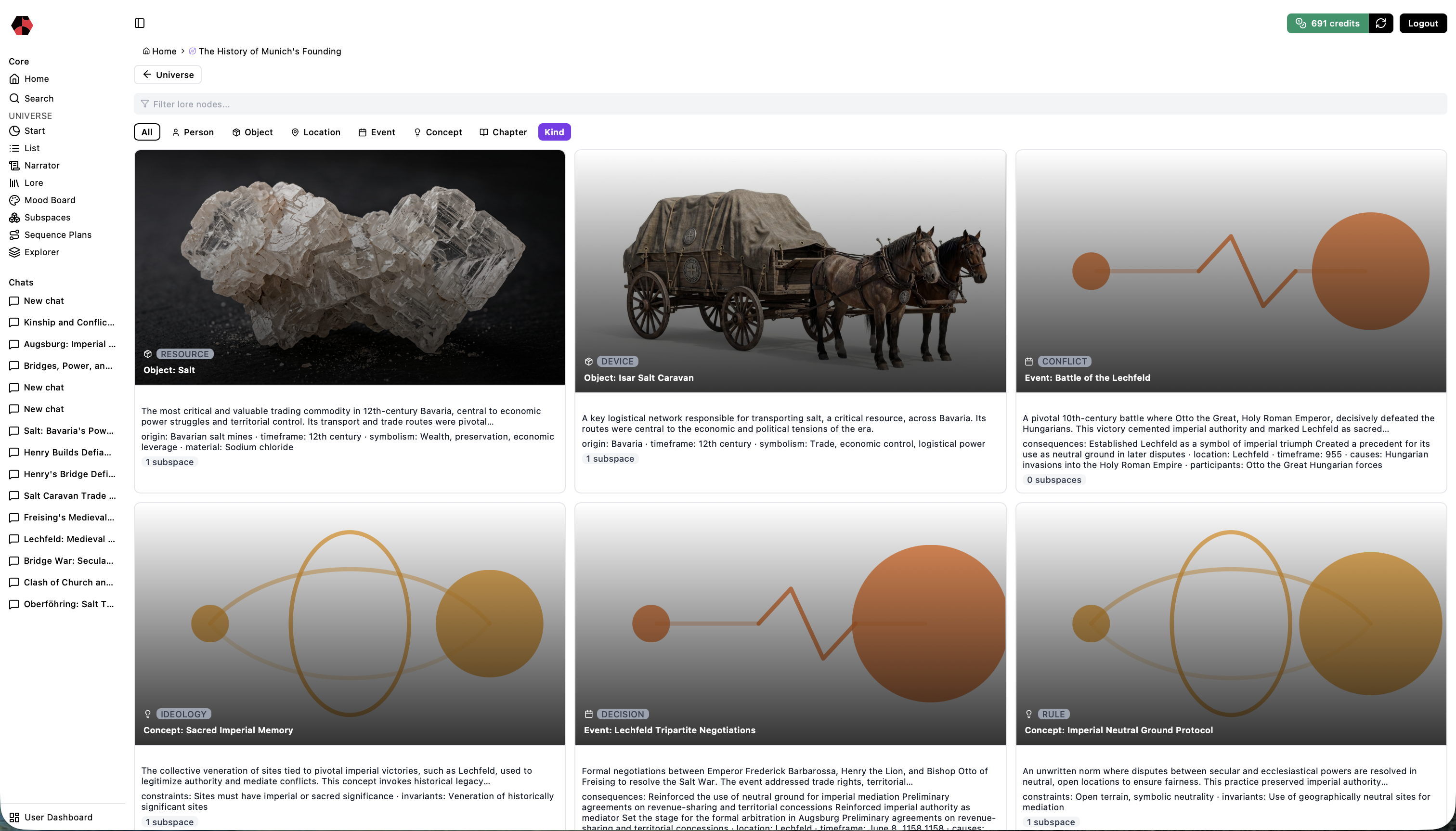
What Lore contains
| Element | What it represents | Typical kinds |
|---|---|---|
| Person | An actor capable of intention or participation | Individual, group, organization, faction |
| Object | A tangible or symbolic item | Artifact, tool, weapon, device, resource |
| Location | A place or spatial setting | Landscape, settlement, structure, region, planet |
| Event | Something that happens or changes | Incident, decision, conflict, revelation, transformation |
| Concept | An abstract system of meaning | Ideology, religion, culture, philosophy, policy, rule |
| Chapter | A narrative phase | Setup, development, turn, climax, resolution |
Relationships give these elements context: a person belongs to an organization, an object appears in an event, or a concept explains a conflict.
1. Navigate and filter Lore
Open Lore to see the elements stored in the current universe. Use the filters to narrow the view to the element type or kind you need.

Start broad when orienting yourself, then filter before reviewing or developing a specific area. Clear naming makes navigation and later Narrator prompts more precise.
2. Inspect an element
Open an element to review its description, type, kind, and connected elements.
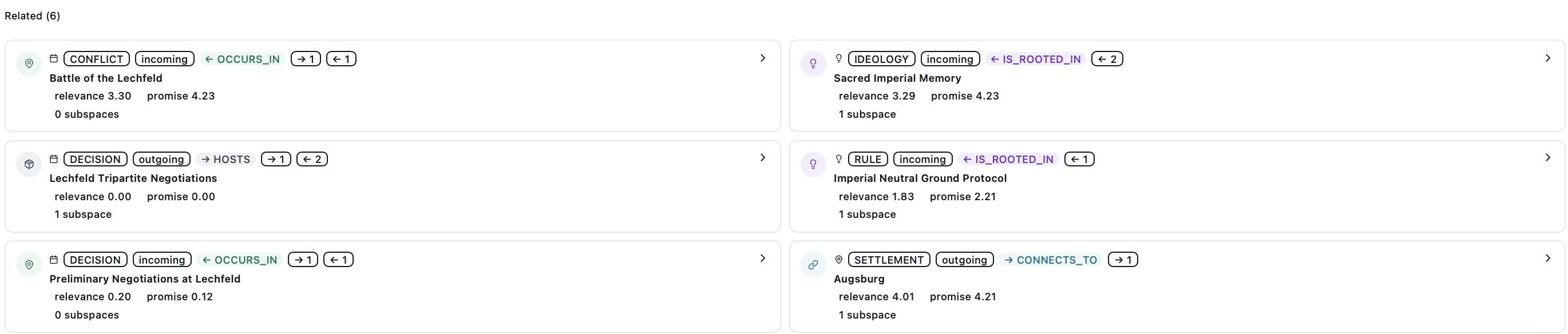
Check whether the element is clearly described, whether its important relationships are present, and whether it needs a focused production workspace.
3. Understand the Lore-to-Subspace mapping
| Lore element | Subspace result |
|---|---|
| Person | Character |
| Object | Device |
| Location | Stage |
| Event | Act |
| Concept | Anchor |
| Chapter | Act |
A Lore element may have more than one Subspace. This supports different ages of a character, alternate timelines, multiple visual interpretations, or several acts derived from the same event.
4. Keep Lore meaningful
Add an element when it matters to the universe, not merely because it was mentioned. Use relationships to express why it matters. The Narrator can propose connections, but you decide which suggestions become part of the canon.
Next step
Read Working with Subspaces to turn a selected element into a character, stage, device, anchor, or act. If the universe still has gaps, return to Using the Narrator.
Ready to start?
Build the next part of your world in Saganode.