
Using the Narrator
The Narrator turns structured worldbuilding into a readable, reusable narrative foundation. It works with the people, places, objects, events, concepts, and chapters already defined in the open universe—and helps you connect or expand them without taking control away from you.
Before you begin
Open the universe you want to work on. Every Narrator prompt applies only to that universe, so the relevant Lore stays in context.
1. Explore what is already there
Ask for an overview of the universe or focus on one element or relationship. For example:
Explore UniverseExplore Henry the LionExplore the role of Augsburg in 1158Create Topic Map
The first three prompts answer a question at different levels of detail. A topic map gives you a structured view of the complete universe.
2. Add missing information
The Narrator is the primary way to expand a universe. Give it clear, concrete information:
Create the city of Freising, where Bishop Otto of Freising ruled. Freising was a small settlement dominated by the bishop and the clergy.
The Narrator analyzes the prompt and returns facts and recommendations. Review these suggestions and apply only the ones that belong in your universe.
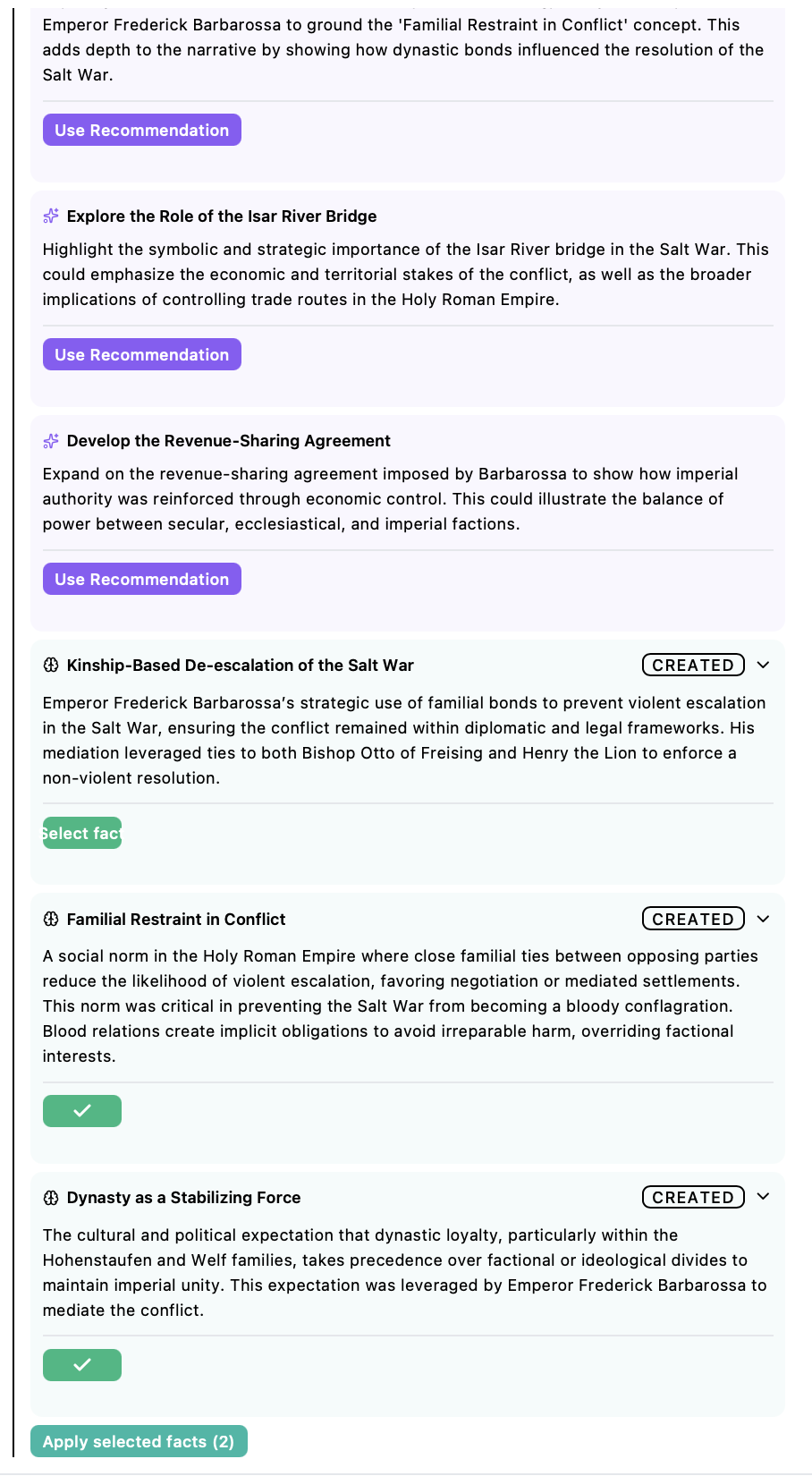
You can also provide a richer passage containing several relationships and events. Saganode separates it into actionable suggestions and connects new Lore elements with existing ones.
3. Control the amount of output
Use /output extract only when you want the Narrator to show only the facts and recommendations that require a decision. Use /output standard to restore the full chat output.
4. Move from concrete elements to abstract context
A reliable workflow starts with tangible elements—people, objects, and locations. Then add events and concepts that explain motivation, causality, and sequence. This context helps prevent later scripts or visual production from inventing events that contradict the world.
5. Review before applying
The Narrator is designed to find connections and expand the universe. You remain the editor: inspect every proposed fact and recommendation, apply useful suggestions, and leave out anything that does not match your intended canon.
The complete chat history is retained. You can return to a previous conversation and continue from that context.
Next step
Once the core elements and relationships are in place, inspect the structure in Lore. Then use Subspaces to develop selected elements into production-ready material.
Ready to start?
Build the next part of your world in Saganode.