
Using the Mood Board
The Mood Board turns a growing asset library into deliberate visual direction. It collects the references that should influence later image and video work without treating every experiment as canonical.
1. Review the current visual vocabulary
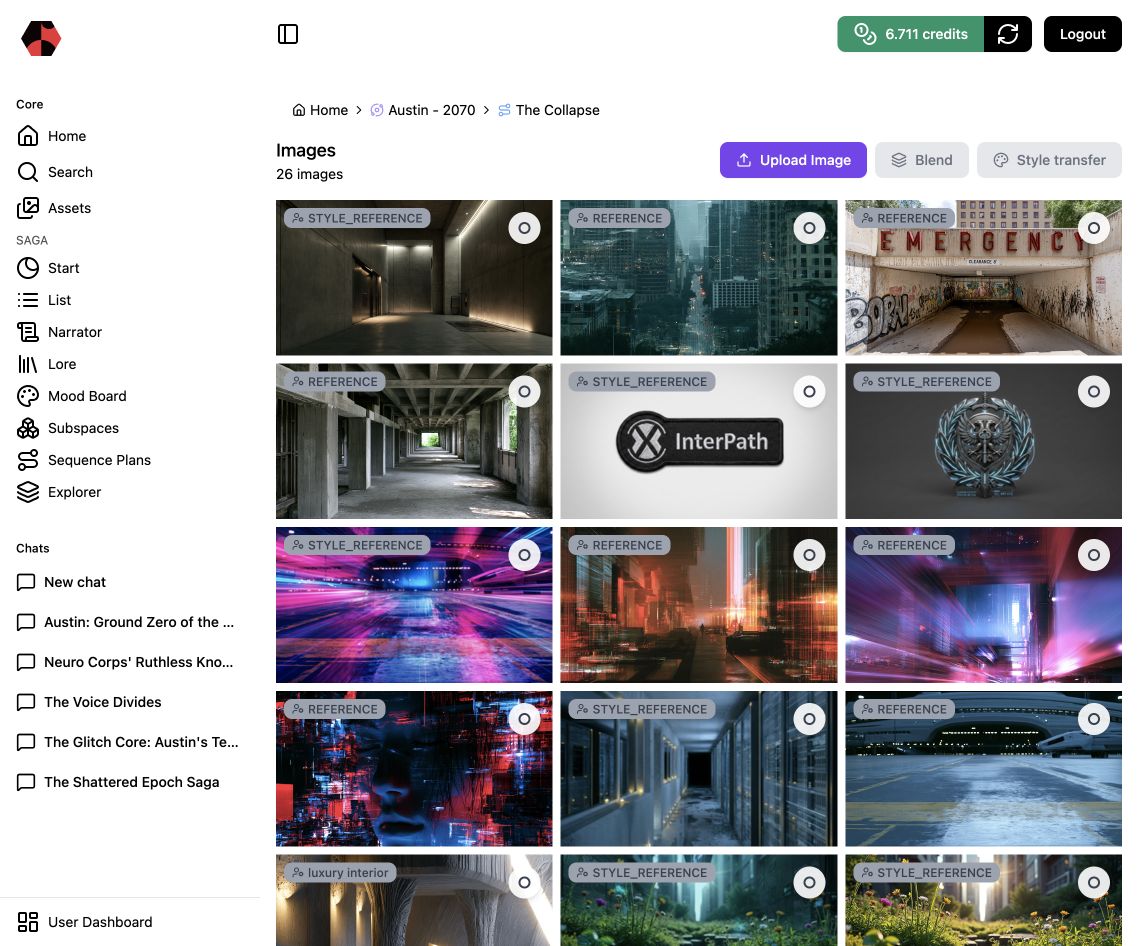
Open the Mood Board inside the relevant universe, saga, story, or Subspace. In The Collapse, the overview combines architectural references, character imagery, interface motifs, and neon-glitch aesthetics associated with Austin in 2070.
2. Distinguish reference roles
Cards identify how an image should be used. A reference helps define content, shape, or environment. A style reference influences treatment, palette, texture, or atmosphere. Clear roles reduce accidental visual drift in later generations.
3. Select only useful images
Curate the few images that express a repeatable direction. Remove near-duplicates, one-off experiments, and imagery that conflicts with Lore. A focused board is more useful than a large one because downstream prompts receive a clearer signal.
4. Blend or transfer style deliberately
Select suitable images before using Blend or Style transfer. Blending explores a controlled combination of sources. Style transfer applies visual treatment to content while the underlying subject should remain recognizable.
5. Check the result against Lore
Visual coherence is part of narrative coherence. Confirm that environments, devices, costumes, and symbols support the current story world rather than introducing attractive but unrelated science-fiction conventions.
Next step
Return to Working with Subspaces to develop the element further, or review Managing Assets to find the resulting media.
Ready to start?
Build the next part of your world in Saganode.