Exploring the Knowledge Graph
The Explorer graph reveals how the structured elements of a narrative world connect. It is useful for orientation, coherence review, and finding underdeveloped or isolated parts of a universe. You can also ask the graph a focused question to locate relationships, paths, and relevant context without manually tracing every connection.
1. Open Graph view
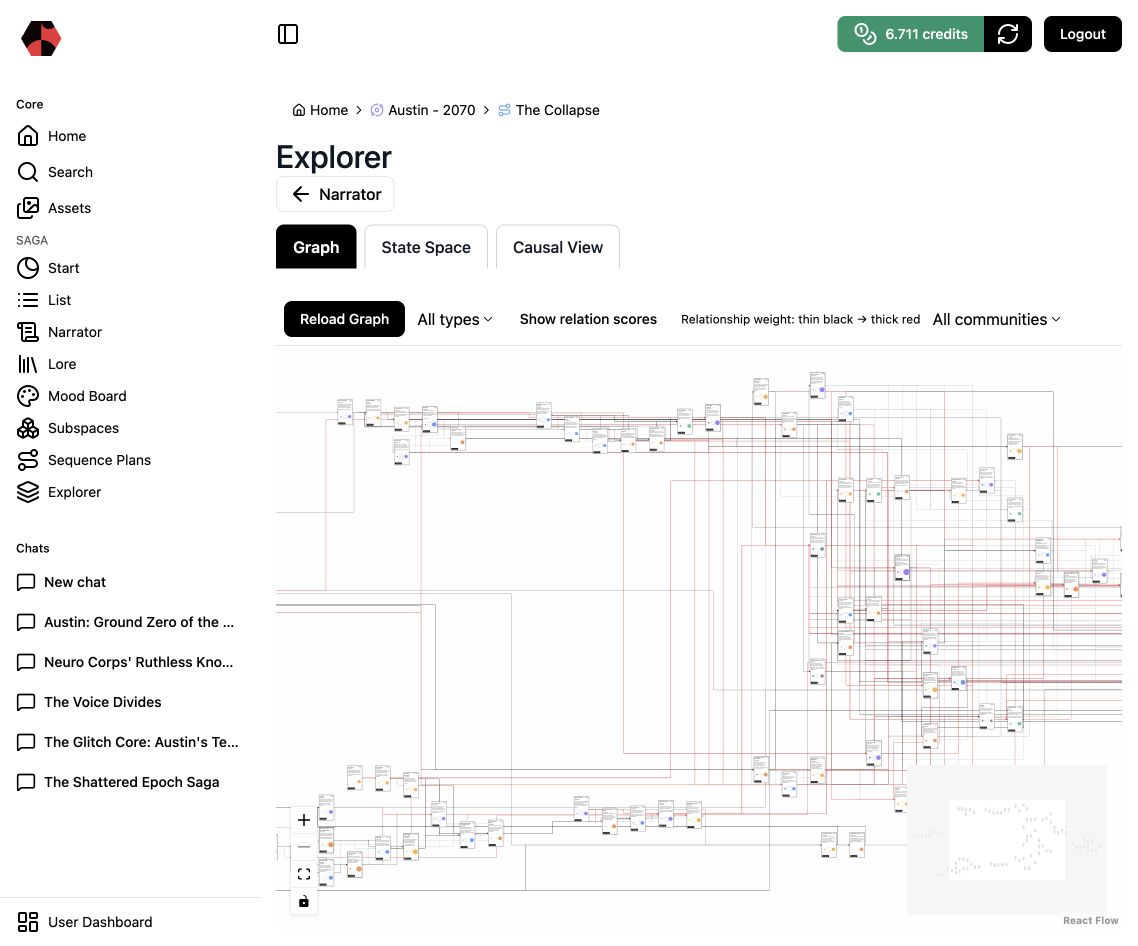
Choose Explorer → Graph in the selected narrative context. The graph displays Lore elements as nodes and their relationships as edges. Use it for structural orientation; read Story State and Causality for Saganode’s active research direction around consequences, canon state, and the effects of a decision.
2. Ask the graph a focused question
Use Ask the graph when the question is about the connected world rather than a single document. The query looks for relevant relationships and paths through the graph, then keeps the result visible in the same Explorer view.
For example, ask:
What is the most relevant event?How are the archives connected to the Trust?Which events lead from the decree to the leak?
Add a short focus instruction when necessary. A useful instruction narrows the work by story purpose, such as: Focus on events central to the Trust’s control and resistance, tracing the progression from formal decree to leaks and erasure. This gives the graph a clear interpretive boundary without replacing the connected material it is drawing from.
3. Filter the graph deliberately
Use All types to isolate Concepts, Chapters, People, Objects, Locations, or Events. Use the community selector to focus on a connected cluster when the wider universe is dense. Turn on Show relation scores to read the strength of relationships: lighter, thinner connections carry less weight than stronger, redder paths.
4. Inspect communities and relationship weight
Communities reveal clusters of strongly connected material. Relationship scores make stronger and weaker connections visible. Look for three common signals:
- isolated nodes that may need relationships;
- dense clusters that may contain duplication;
- unexpected bridges between otherwise separate story areas.
5. Compare the graph with Lore and Search
The graph is a structural view, not a substitute for reading. Use Search to locate a subject across formats and Lore to inspect the actual descriptions and relationships. In The Collapse, the Glitch Core connects factions, events, devices, locations, and competing ideologies; this makes it a useful focal point for the review.
6. Export a research-ready graph to Obsidian
Use Export to Obsidian when the graph needs to become part of a research, documentation, or writing workflow outside Saganode. The export preserves a useful handoff for continuing the work in a linked-note environment; return to Saganode when you need to review or evolve the connected narrative system itself.
7. Correct drift at its source
When the graph exposes material from an incompatible setting or an outdated interpretation, update the underlying Lore instead of treating the visualization as the problem. The goal is a connected world whose relationships support the intended narrative.
Next step
Return to Using Lore to review individual elements or use Search to trace one subject across knowledge and media.
Ready to start?
Build the next part of your world in Saganode.